Available for Odoo 16-192 free + 3 paid apps

ERPFlows FlowDeck Hub and Odoo apps for a cleaner workspace.

Start with FlowDeck Hub, a branded Odoo app launcher for faster module discovery, then add Login Experience PRO, Fleet Traccar, and OWL widgets for a sharper daily workflow from sign-in to operations.

Featured: FlowDeck HubBranded login experience5 Odoo Store appsOdoo 16-19 ready
Featured app snapshot
ERPFlows FlowDeck Hub
Paid on Odoo Store
ERPFlows FlowDeck Hub app launcher visual
App launcher
Branding
Search
Productivity
Branded access
Paid on Odoo Store
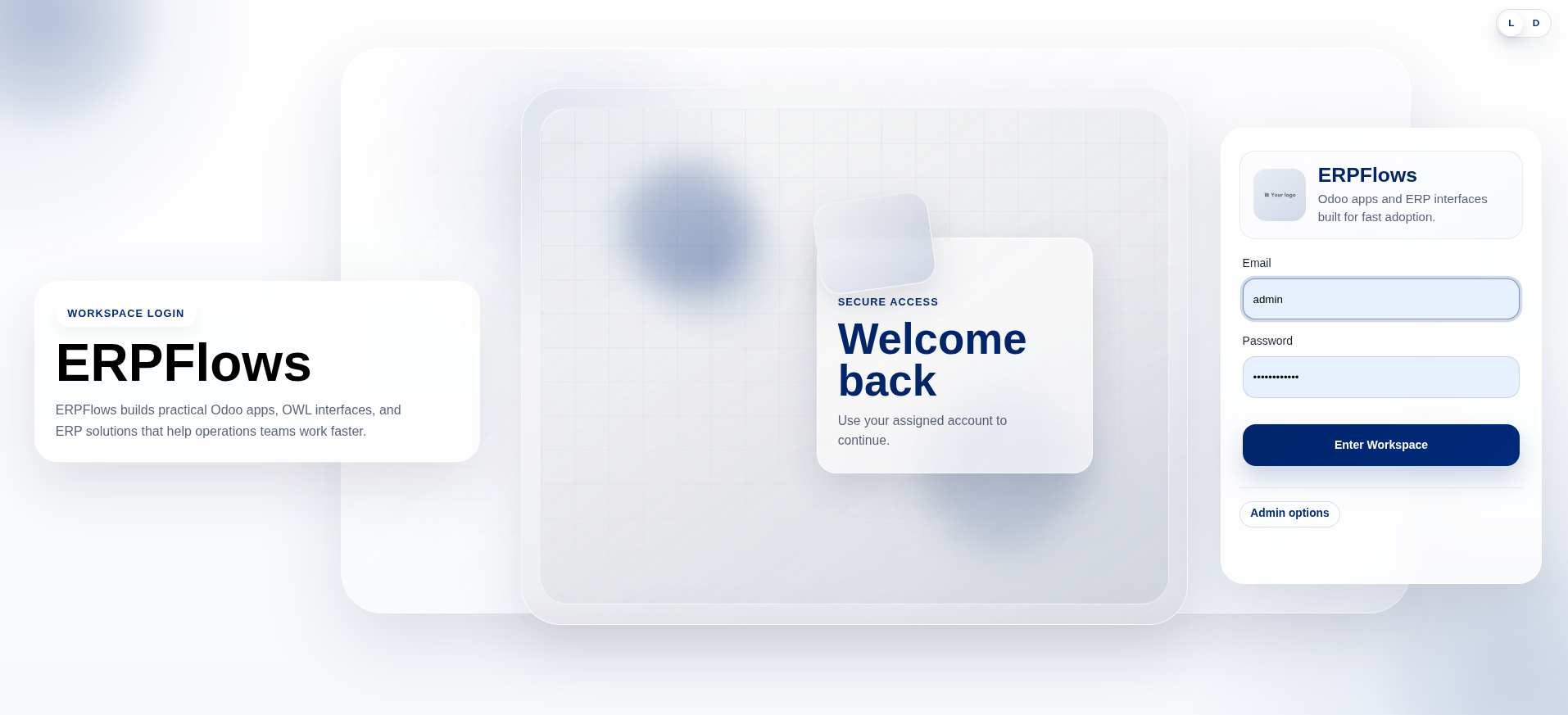
ERPFlows Login Experience PRO branded login visual
Login Experience PRO
A polished first screen for every Odoo user.
Fleet visibility
Paid on Odoo Store
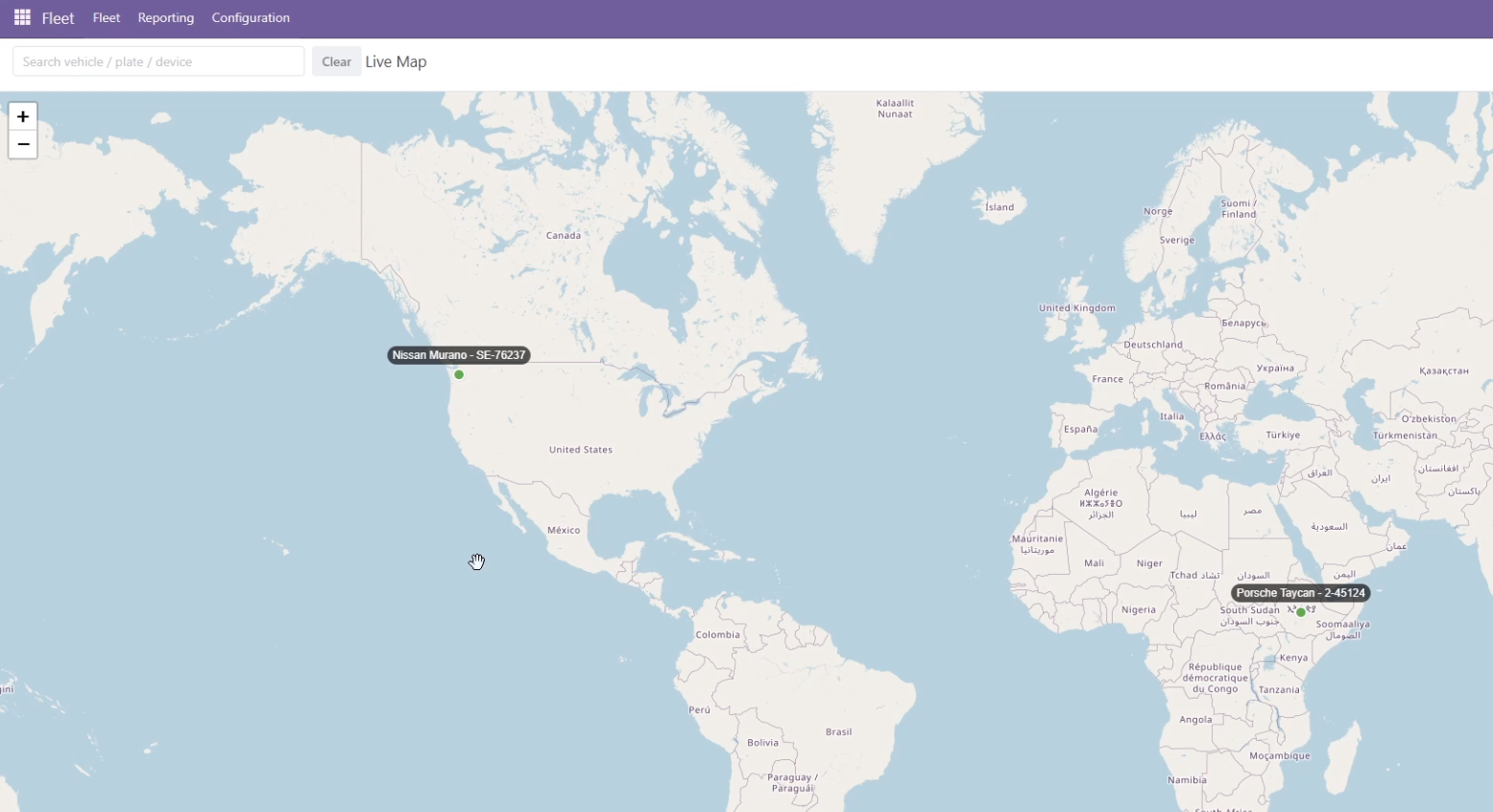
ERPFlows Fleet Traccar live map screenshot
Fleet Traccar Connector
Live map and trip replay inside Odoo Fleet.
5
Live Odoo apps

2 free apps and 3 paid apps published on the Odoo Store

OWL
Frontend specialization

field widgets, client actions, and responsive operator flows

End-to-End
Delivery model

audit, implementation, rollout, and post-launch support

Live Odoo Store apps

Odoo apps for branded workspaces, faster navigation, and operational clarity

Lead with FlowDeck Hub for a better Odoo app launcher, add Login Experience PRO for a branded sign-in screen, then extend fleet, deadline, and record-age visibility with production-ready modules published on the Odoo Apps Store.

5 Odoo modules2 free apps3 premium apps
ERPFlows FlowDeck Hub app launcher visual
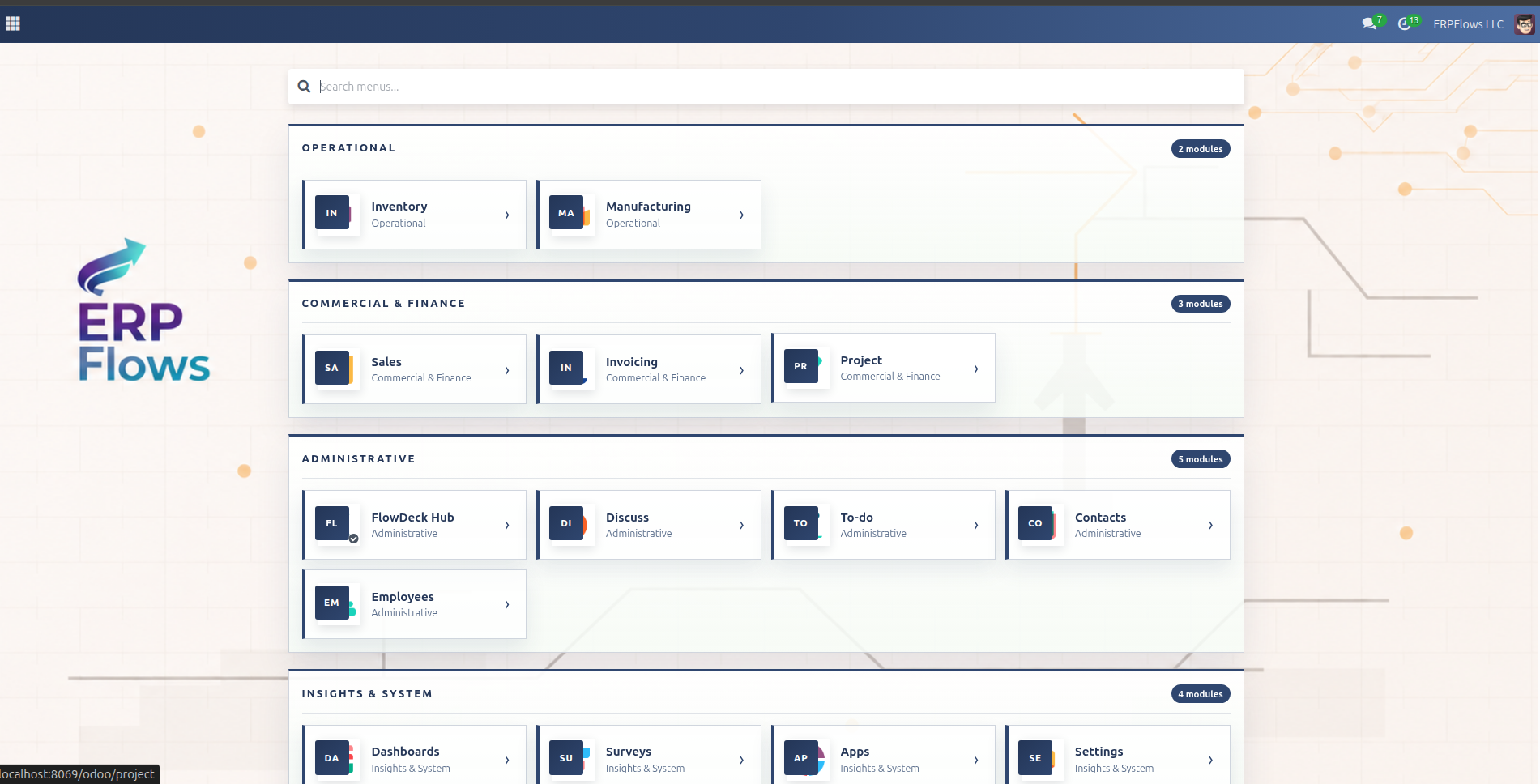
FlowDeck grouped app hub with branded background and quick module access

Grouped app hub with search and quick module access
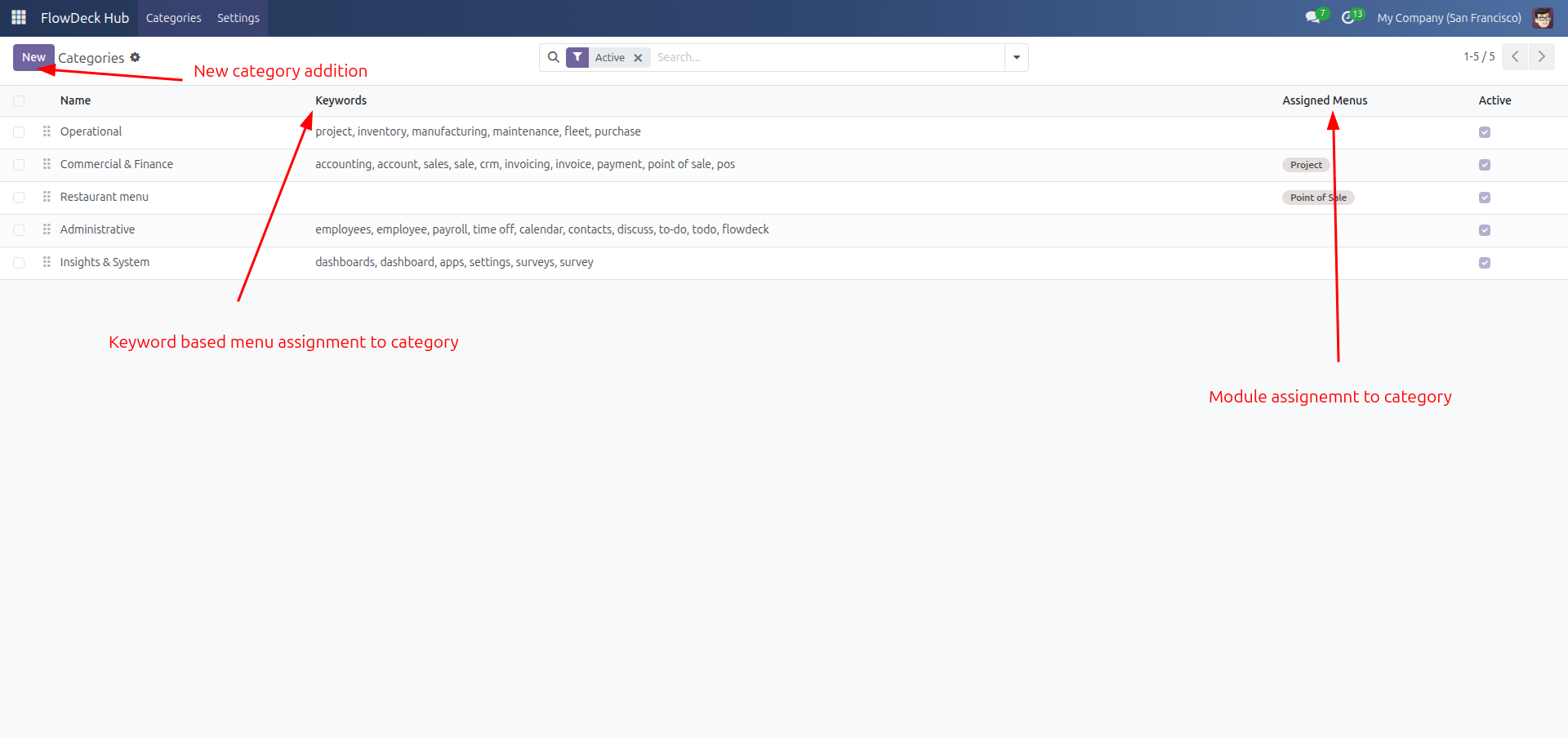
FlowDeck category setup with keyword matching and direct menu assignment

Category setup with keyword matching

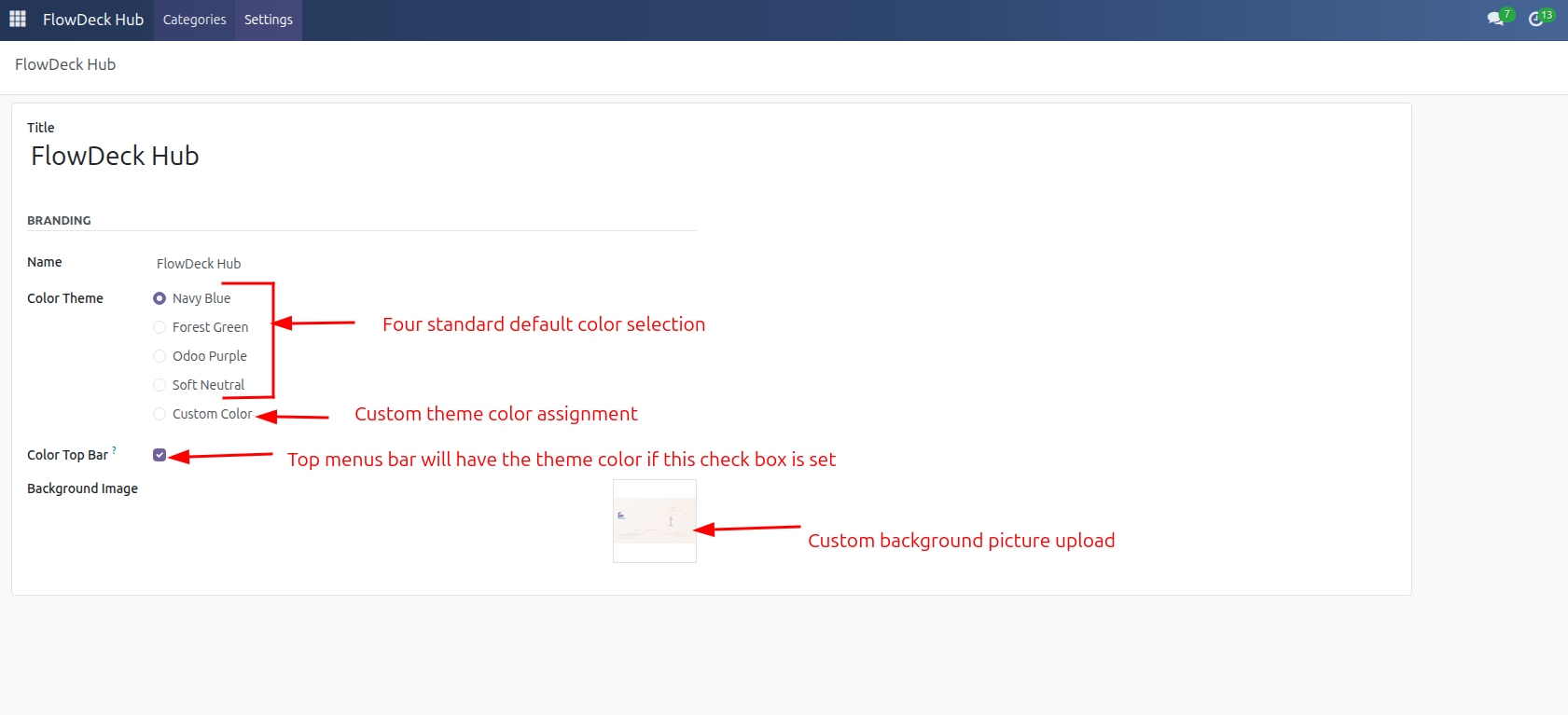
FlowDeck branding settings for themes top bar color and custom background image

Branding settings for themes and backgrounds

Featured Odoo app #1
Productivity | App launcher | BrandingPaid on Odoo StoreOdoo 16.0, 17.0, 18.0, 19.0

ERPFlows FlowDeck Hub

A branded Odoo app launcher that helps users find the right module faster with grouped apps, fast search, and administrator-controlled styling.

FlowDeck replaces the standard app menu with a polished full-screen hub, configurable categories, keyword matching, color themes, and optional branded backgrounds.

App launcherBrandingSearchProductivity
Technical name
erpflows_flowdeck_modules_hub
Availability
Odoo Online, Odoo.sh, On Premise
  • Full-screen app hub for cleaner module navigation
  • Administrator-defined categories and fallback grouping
  • Search across root apps and nested menu entries
  • Theme, top-bar, and background controls for branded workspaces
Build proof point

The module combines a dedicated launcher surface, admin configuration screens, category assignment logic, and search-friendly navigation behavior.

menuRegistry.add("erpflows_flowdeck_modules_hub", FlowDeckHubAction);
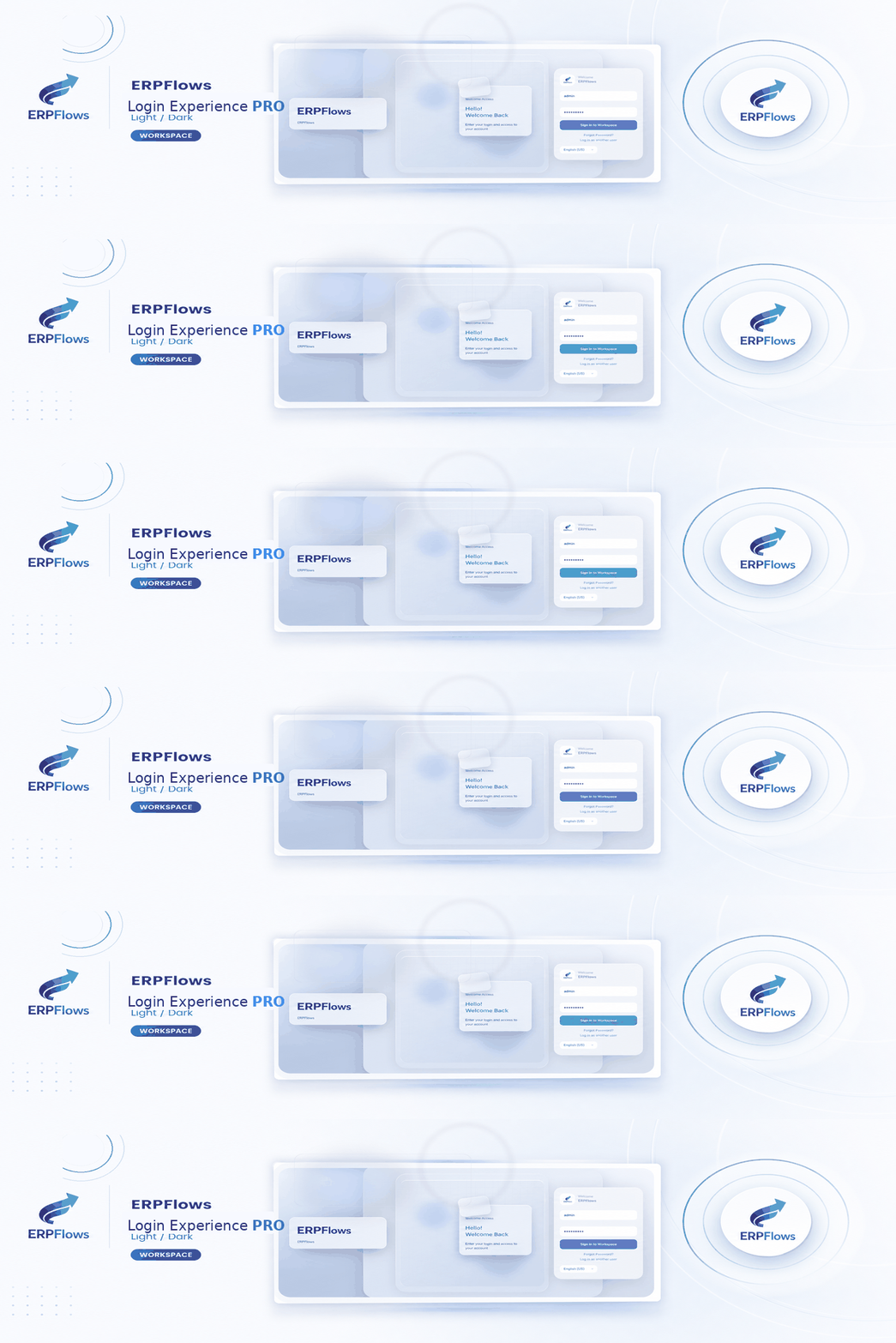
ERPFlows Login Experience PRO branded login visual
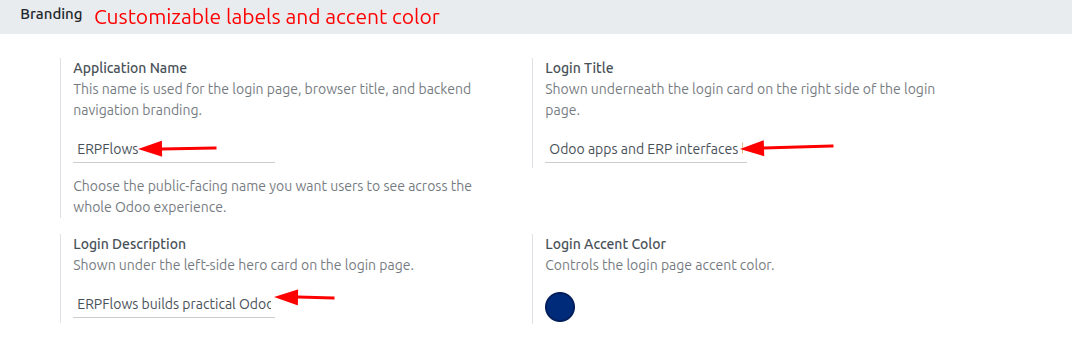
Branding settings section for Login Experience PRO in Odoo General Settings

Brand controls for title, description, and accent color

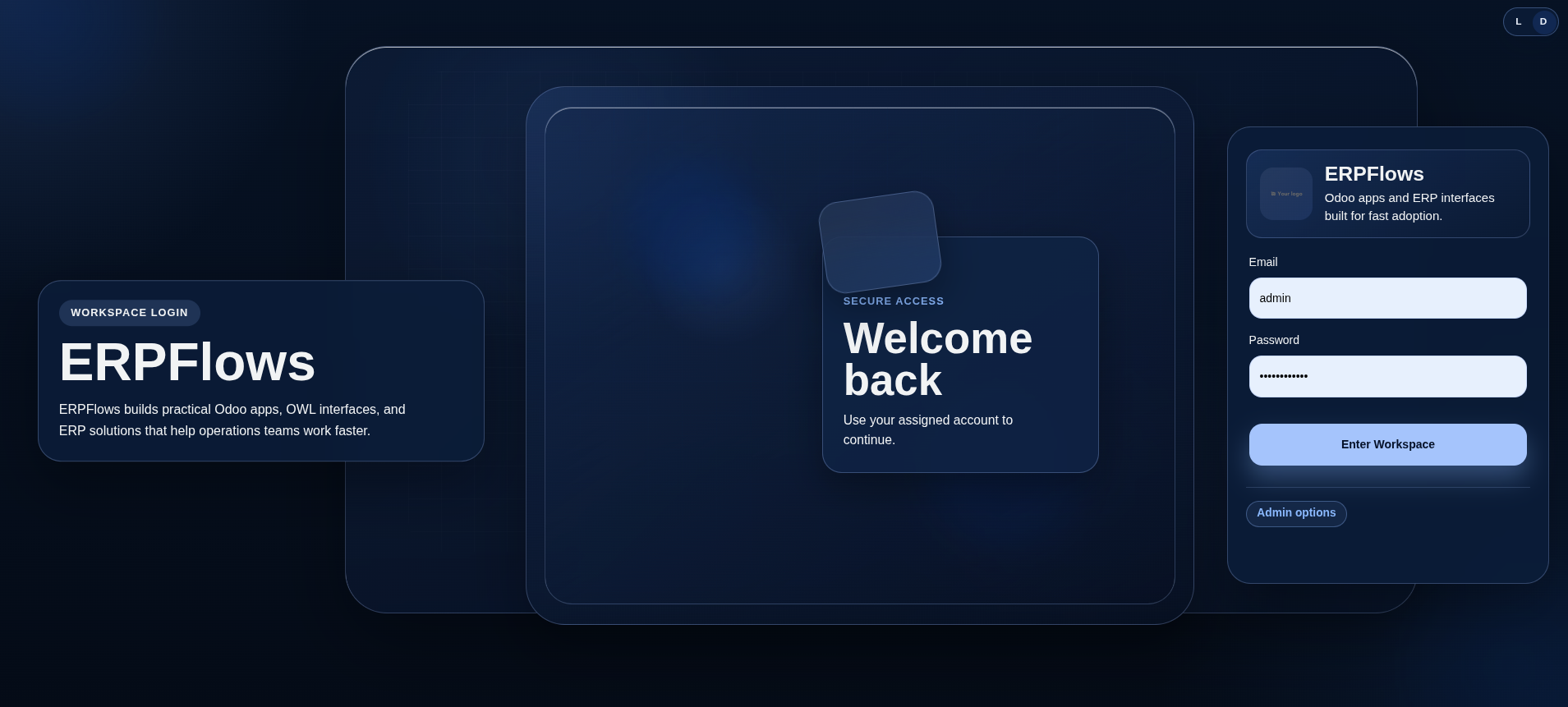
Light mode preview of ERPFlows Login Experience PRO

Light mode login experience

Dark mode preview of ERPFlows Login Experience PRO

Dark mode login experience

Featured Odoo app #2
Extra Tools | Login UX | BrandingPaid on Odoo StoreOdoo 16.0, 17.0, 18.0, 19.0

ERPFlows Login Experience PRO

A premium branded login page for teams that want every Odoo sign-in to feel polished, trustworthy, and aligned with their company identity.

Login Experience PRO adds a responsive login layout, light and dark modes, accent color controls, and settings-driven copy so administrators can update the first screen without code.

Login pageBrandingDark modeSettings
Technical name
erpflows_loginpage
Availability
Odoo Online, Odoo.sh, On Premise
  • Responsive branded login layout
  • Light and dark mode toggle with local preference
  • Admin settings for app name, title, description, and accent color
  • Frontend-scoped implementation that keeps backend theme behavior stable
Build proof point

The app focuses the customization on the login surface, exposing brand controls through settings while keeping the rest of Odoo's backend navigation untouched.

settings.define("erpflows_loginpage.accent_color", "#1f8a70");
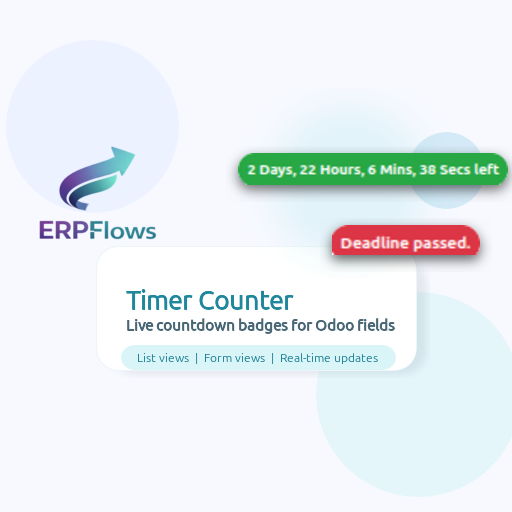
ERPFlows Advanced OWL Countdown Timer banner
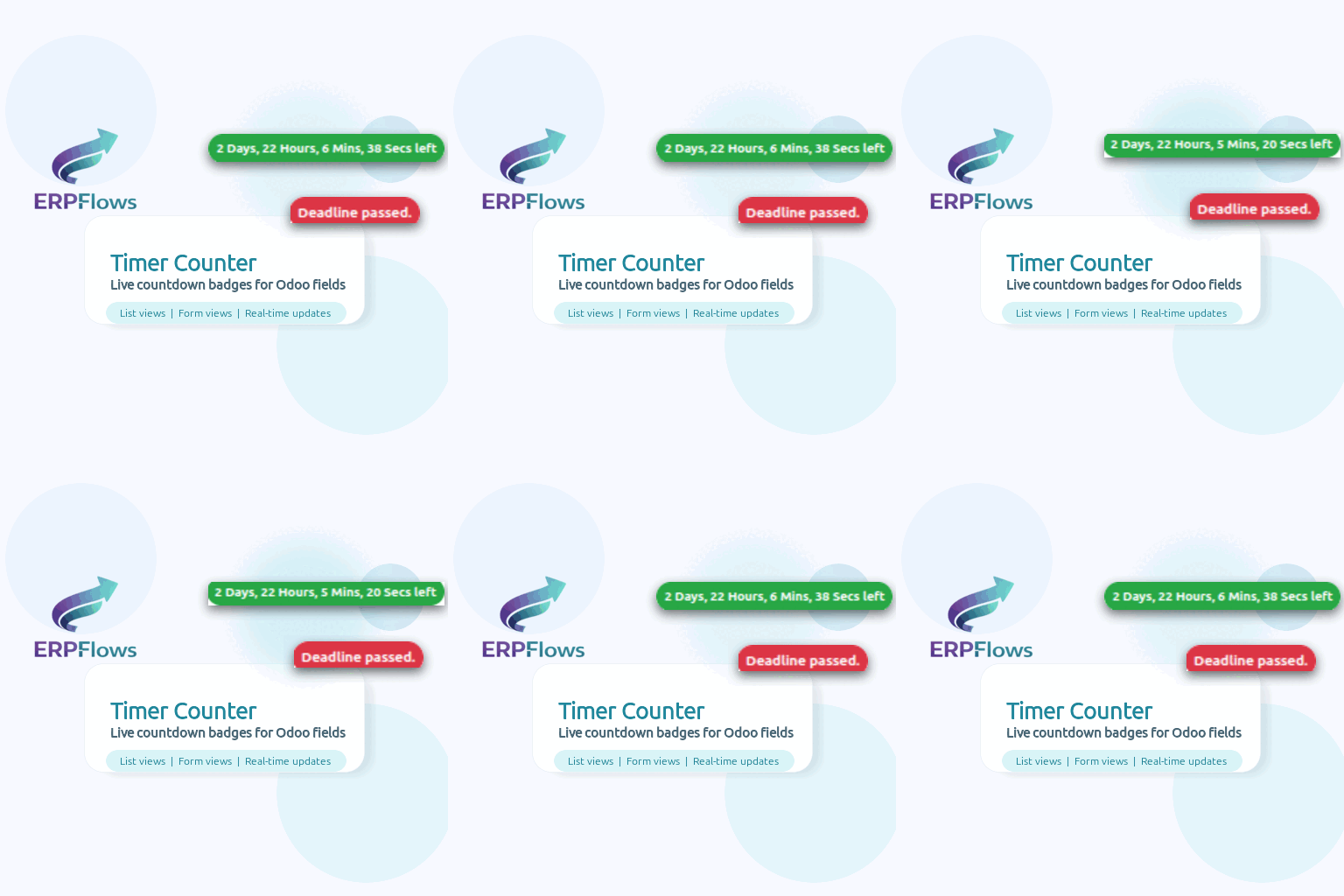
Countdown widget showing remaining time in days and hours

Real-time timer in list or form views

Countdown widget updating time left inside Odoo

Second-by-second updates without page refresh

Countdown widget showing deadline status

Clear deadline-passed state for urgent work

UX | OWL field widgetFreeOdoo 16.0, 17.0, 18.0, 19.0

ERPFlows Advanced OWL Countdown Timer & Deadline Tracker

A real-time deadline tracker for Date and Datetime fields that keeps SLA pressure visible directly inside Odoo views.

This module computes countdowns in the browser with OWL and Luxon, updates every second, and flips visual state when the deadline is close or already missed.

OWLLuxonDate fieldsSLA tracking
Technical name
erpflows_timer_counter
Availability
Odoo Online, Odoo.sh, On Premise
  • Works on any Date or Datetime field
  • Second-by-second countdown updates in OWL
  • Client-side calculation reduces server load
  • Useful for deadlines, SLAs, renewals, and delivery promises
Build proof point

Built as an OWL badge field registered in the Odoo field registry and mounted with component state plus lifecycle cleanup.

<field name="x_deadline" widget="counter"/>
ERPFlows Records Age Indicator screenshot
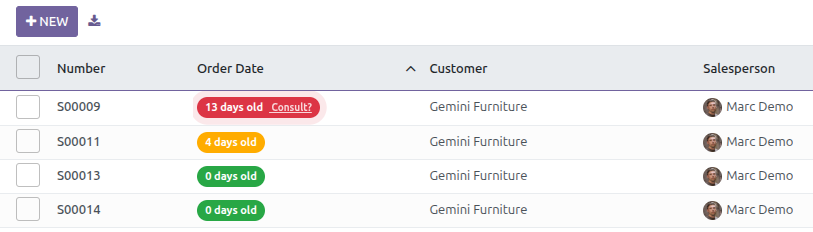
Recent record badge in green

Recent activity stays visibly green

Warning record age badge in yellow

Warning thresholds surface aging work earlier

Overdue record age badge with pulse state

Stale records pulse when action is overdue

User Interface | OWL field widgetFreeOdoo 16.0, 17.0, 18.0, 19.0

ERPFlows Records Age Indicator

A color-coded age indicator for Date and Datetime fields so teams can spot stale, recent, or overdue records instantly.

The module extends Odoo badge fields with configurable thresholds, formatted tooltips, and pulse feedback for records that need attention.

OWLBadge widgetFrontend-onlyThreshold alerts
Technical name
erpflows_records_age
Availability
Odoo Online, Odoo.sh, On Premise
  • Works with any Date or Datetime field
  • Configurable recent and warning thresholds
  • Pure frontend extension for fast rendering
  • Strong fit for invoices, leads, tickets, tasks, and approvals
Build proof point

Thresholds are passed as widget options, interpreted in OWL props, and rendered with status-aware classes for immediate visual feedback.

<field name="date_order" widget="record_age" options="{'recent_days': 0.5, 'warning_days': 2}"/>
ERPFlows Fleet Traccar live map screenshot
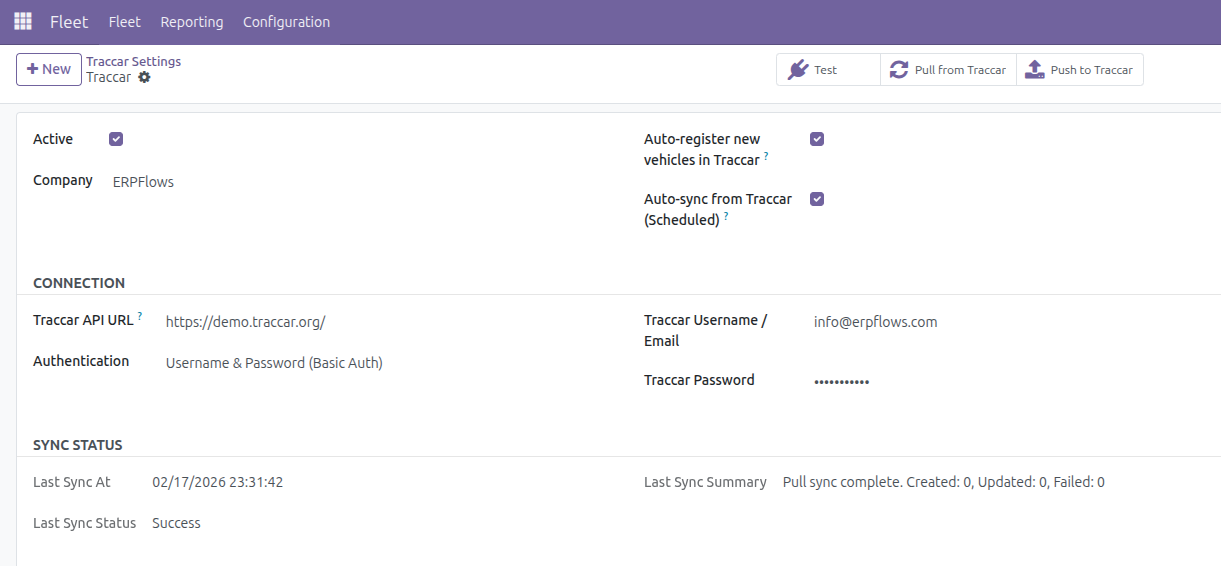
Fleet Traccar configuration and sync controls

Configuration and two-way sync controls

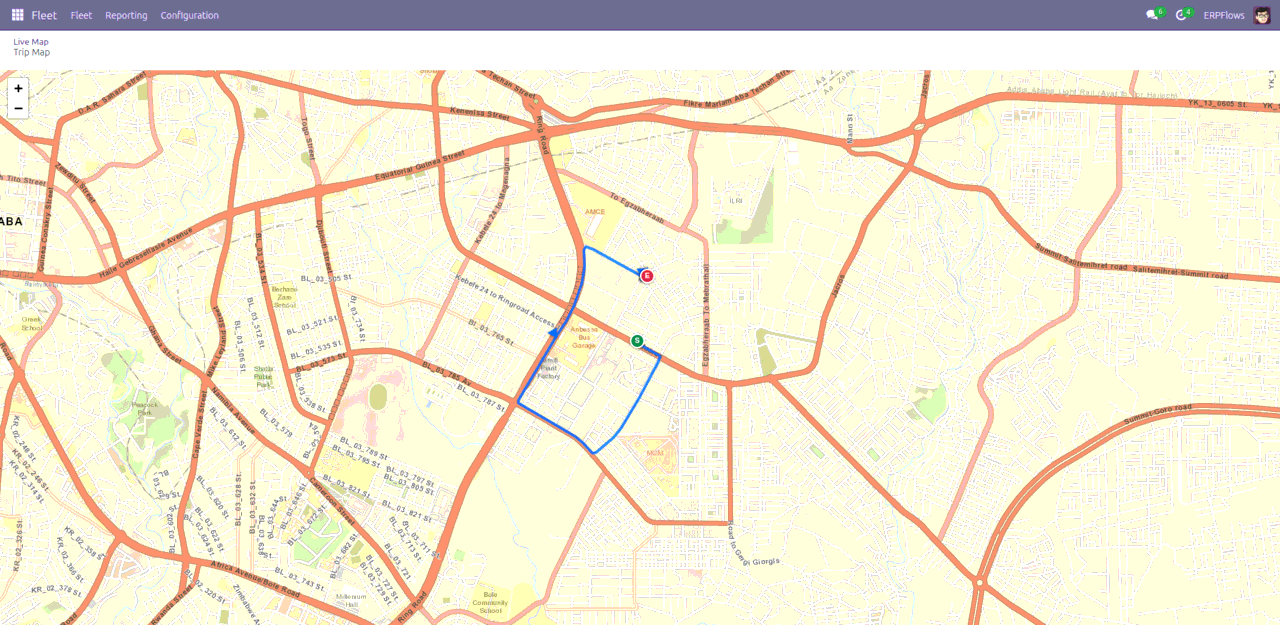
Live Traccar map inside Odoo Fleet

Live map with search, refresh, and vehicle markers

Trip replay route map for a tracked vehicle

Trip replay with route line and start/end markers

Fleet | Integration | OWL action screensPaid on Odoo StoreOdoo 16.0, 17.0, 18.0, 19.0

ERPFlows Fleet Traccar Connector (Two-Way Sync)

A production-focused connector that syncs Odoo Fleet and Traccar in both directions with live map visibility and trip route replay.

It covers device import, vehicle push, company-level configuration, scheduled sync, live map actions, and date-range trip playback for operations teams.

OWL actionsLeafletFleetIntegration
Technical name
erpflows_fleet_traccar
Availability
Odoo Online, Odoo.sh, On Premise
  • Odoo to Traccar and Traccar to Odoo sync flows
  • Live map action with search and auto-refresh
  • Trip route replay by vehicle and date range
  • Company-aware configuration, cron sync, and status tracking
Build proof point

The frontend uses OWL client actions, debounced search, map lifecycle handling, and incremental marker refresh against live Traccar data.

registry.category("actions").add("erpflows_fleet_traccar.traccar_trip_map", TraccarTripMapAction);
Need a variant?

Need a branded variant, rollout help, or an adjacent workflow?

ERPFlows adapts published apps, builds adjacent features, and connects them to the rest of your Odoo stack with a rollout plan your operators can actually use.

Request custom OWL consultation
OWL delivery model

ERPFlows combines product thinking, OWL engineering, and Odoo rollout work

The apps above are not isolated demos. They reflect the same approach we use for client work: identify the operational friction first, design the OWL surface carefully, then ship the surrounding Odoo implementation cleanly.

OWL UI engineering

Reusable field widgets, client actions, dashboards, and high-frequency screens that feel native to standard Odoo.

  • Custom fields and action screens
  • Stateful OWL components with clean lifecycle handling
  • Performance-minded rendering for busy teams

Odoo module delivery

From idea shaping to store-ready packaging, ERPFlows builds modules that ship cleanly and can still be maintained after launch.

  • Feature scoping and architecture
  • Manifest, assets, and Odoo Store readiness
  • Practical QA across real workflows

Implementation and rollout

We do not stop at code. Existing flows are audited, customizations are integrated, and teams receive a usable rollout plan.

  • Current-state workflow audit
  • Integration and migration planning
  • Launch support with operator enablement
From countdowns to record-age signals

Field widgets that solve urgency

ERPFlows uses OWL field components when users need live feedback in the exact view where they already work.

<field name="date_order" widget="record_age" options="{'recent_days': 0.5, 'warning_days': 2}"/>
Maps, launchers, search, and refresh

Action screens for operational visibility

When the job needs more than a field widget, we build action screens that combine backend services with focused operator tooling.

registry.category("actions").add("erpflows_fleet_traccar.traccar_live_map", TraccarLiveMapAction);
UI signals
Records Age Indicator
Field widget
Overdue record age badge with pulse state
Advanced OWL Countdown Timer
Countdown widget updating time left inside Odoo
Fleet Traccar Connector
Fleet Traccar configuration and sync controls
What this means for clients

ERPFlows can start from a packaged module, a rough business requirement, or an existing Odoo codebase. The outcome stays the same: focused OWL interaction, maintainable Odoo code, and a delivery plan tied to actual user behavior.

From scope to go-live

A practical delivery sequence for custom Odoo and OWL work

ERPFlows is structured for companies that need more than a code patch. We connect discovery, UI implementation, backend integration, and launch support so the result survives outside a demo environment.

Step 01

Audit the workflow

Review your current Odoo models, user journey friction, and extension points before touching code.

Step 02

Prototype the OWL layer

Design the field widget, client action, or screen behavior with the same practical constraints users face daily.

Step 03

Implement and harden

Ship the module, wire backend services, validate edge cases, and keep the code maintainable for later iterations.

Step 04

Launch and extend

Handle handoff, enablement, and the next release so the customization remains useful after go-live.

What clients usually need

Module strategy

Clarify whether the fastest path is a new app, a store-ready add-on, or a surgical extension of what is already running.

OWL frontend work

Build the interaction layer users actually feel: field widgets, operator shortcuts, dashboards, and action screens.

Implementation support

Cover deployment, adoption, training, and the follow-up changes that usually appear after real users touch the release.

Engage ERPFlows

Start with an OWL and workflow audit, then decide the build path.

That keeps the recommendation grounded in your current Odoo model layer, data flow, and operator behavior instead of a vague feature wishlist.

Common questions

Odoo app and OWL engagement FAQ

Can ERPFlows customize the published Odoo apps for our workflow?

Yes. The published Odoo apps are a starting point, not a constraint. ERPFlows can extend their behavior, change the UX, add backend logic, or integrate them into a wider implementation plan.

Do you only sell Odoo Store apps, or also build custom implementations?

We do both. Some clients want a store-ready module, while others need an internal customization, migration-safe extension, or a complete implementation track tied to operations.

Which ERPFlows apps are free and which are paid?

The Countdown Timer and Records Age Indicator are free Odoo Store apps. Fleet Traccar Connector, FlowDeck Hub, and Login Experience PRO are paid apps with current pricing shown on the Odoo Store.

What kind of OWL work do you handle?

ERPFlows builds OWL field widgets, client actions, dashboards, responsive operator screens, and frontend-heavy extensions where standard Odoo views are not enough.

Can you work with an existing Odoo codebase that already has custom modules?

Yes. We usually start with an audit of the current models, assets, and user flows so new OWL work fits cleanly into what is already deployed instead of fighting it.

Do you provide rollout support after the code is delivered?

Yes. ERPFlows can stay involved through testing, operator enablement, staged rollout, and the first improvement cycle after go-live.